
From prompt to result
Top prompt resources for ending 2025 strong
If you are learning to prompt, you already know this feeling: sometimes the model nails it, other times it wanders, leaving you wondering what to try next. I’ve been there, often, especially if I’m in a hurry to try something out.
Here are some of my favorite and most-reached-for resources for creating water-tight prompts that get the job done. Prompting takes time and finessing, but having the right trick up your sleeve can make a world of difference.
Claude - Smart Prompt Maker
Everyone reaches a point of frustration when creating AI prompts. Depending on the complexity of your goal, the process of creating a well-thought-out prompt can feel like a waste of time as you try to get a result that makes sense.
The answer we’re told is that you didn’t give it enough context, details, or background specific to your needs. Fair enough, it seems that would be the same as talking with a human assistant who is stuck solving a problem for you, only to realize you didn’t really offer to contextualize their role to your needs. But contextualizing takes time and can be prone to error if you’re not careful.
Instead of trying to hand-assemble a context-rich prompt to entice the LLM to give me back a context-enriched answer, I’ve started using the Claude Interactive Prompt Maker. It’s easy, fast, and it forces me to think specifically through the scope of what I want AI to do. It’s free, and you can copy/paste the result into any LLM of your choice.
To begin,
I describe my basic idea for a prompt best I can without over thinking it
Click the GENERATE QUESTIONS button
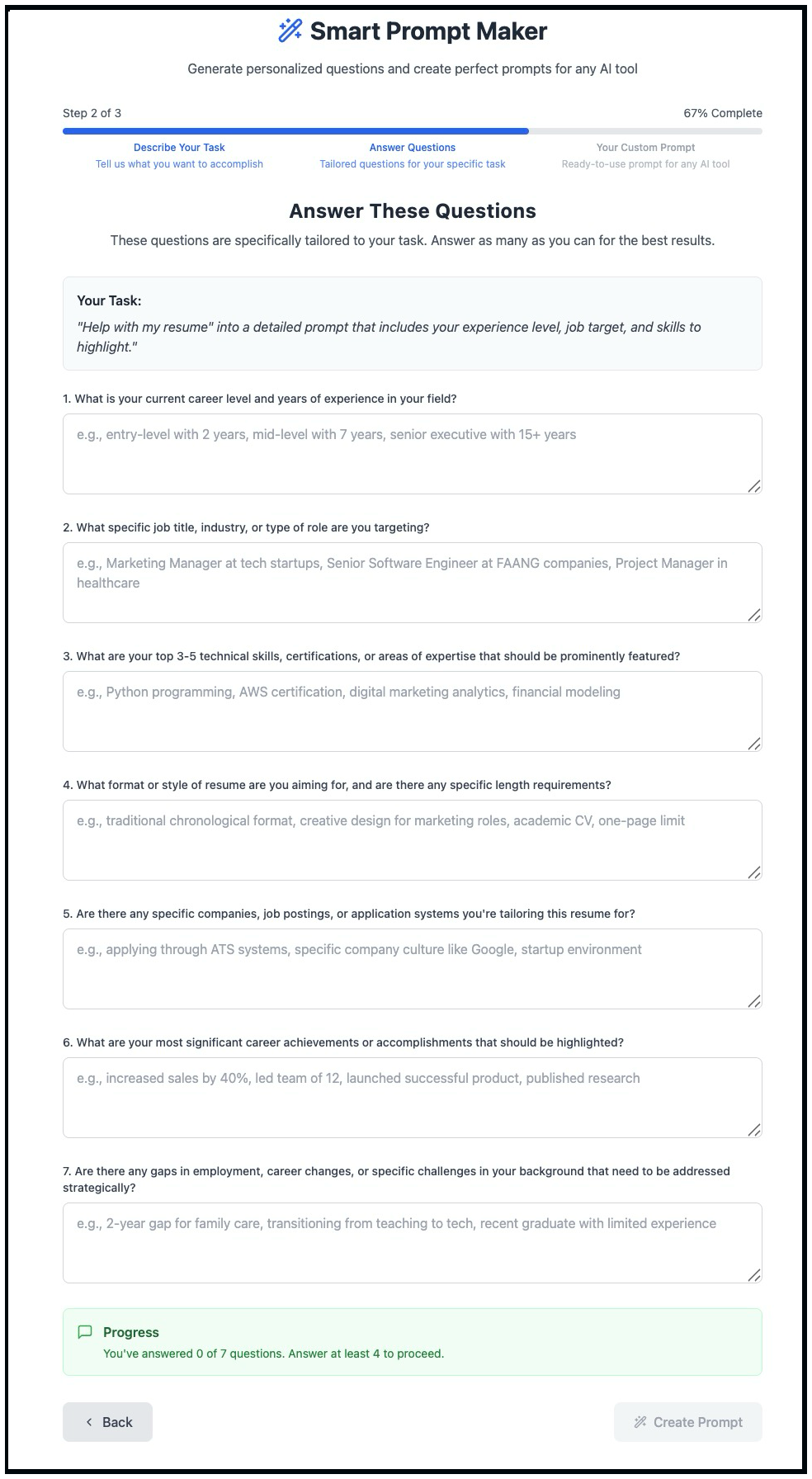
it brings back 6 or 7 questions to ask me for clarification (hint to incorporate more details for better context).
When done, click ‘GENERATE ANSWER.’ The new prompt is well-structured and rich in context.
As with any thought process, it takes time, errors will surface, and new insights will emerge. There are no magic pills for instant success, but the Claud Interactive Prompt Maker can help.
Note that on occasion, you have to click the GENERATE ANSWER two or three times if Claude is busy. But it’s free, so be patient. You can make further tweaks to the structured result you receive for refinement.
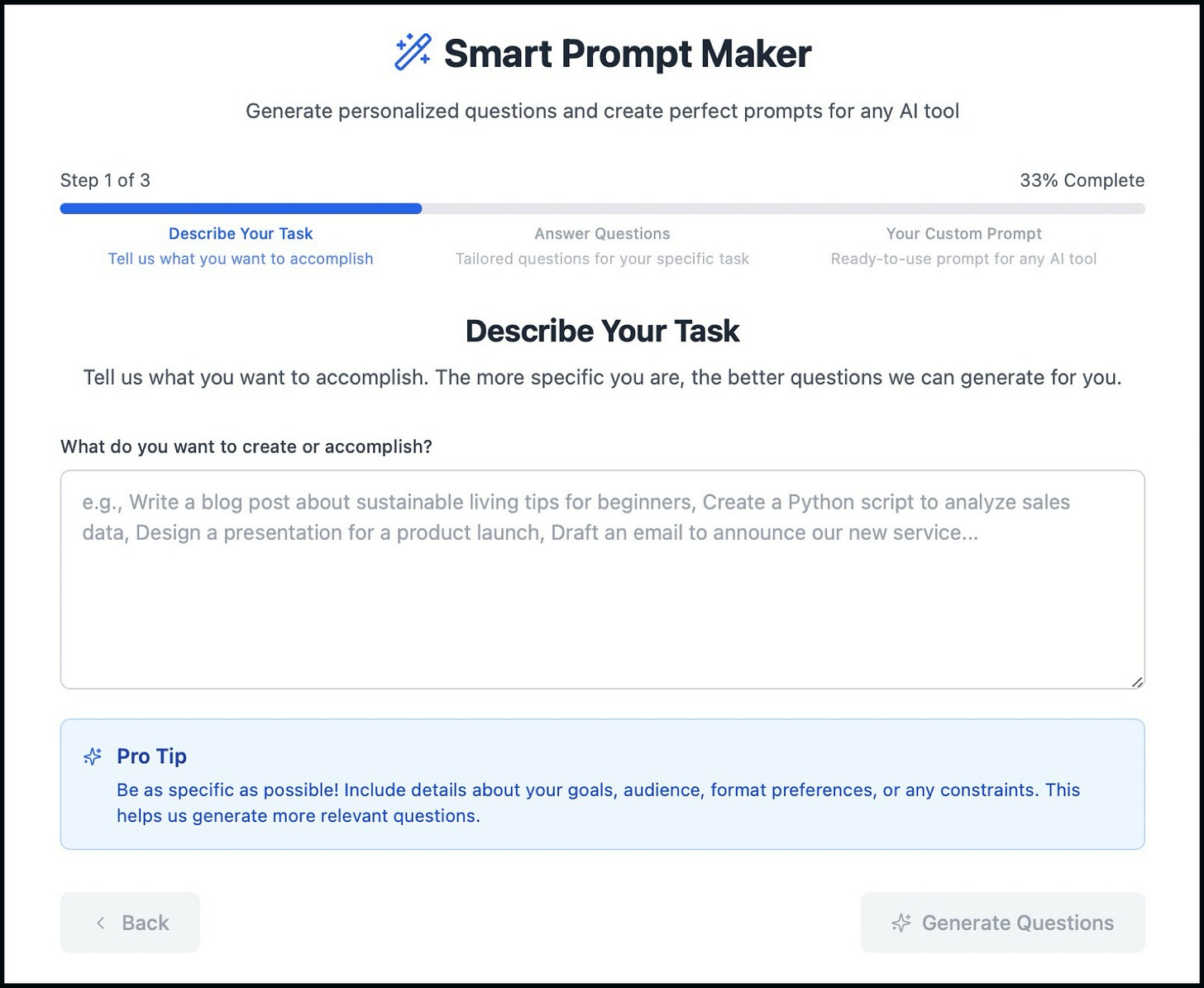
Let’s try an example: “Help me write my resume” into a detailed prompt that includes my experience level, job target, and skills to highlight.” All you do is answer the questions as best you can. Then take the result and copy it over to your preferred LLM. Of course, adjust to fit your specific needs.
Jeremy Caplan’s Wondertools - Substack

I marvel at the cool tools Jeremy Caplan writes about in his Substack newsletter Wonder Tools, and frankly, I’m a bit envious of his carefully crafted posts. Each post is full of valuable tools and tips. He has a personal, easy way of explaining the value of each tool he reviews.
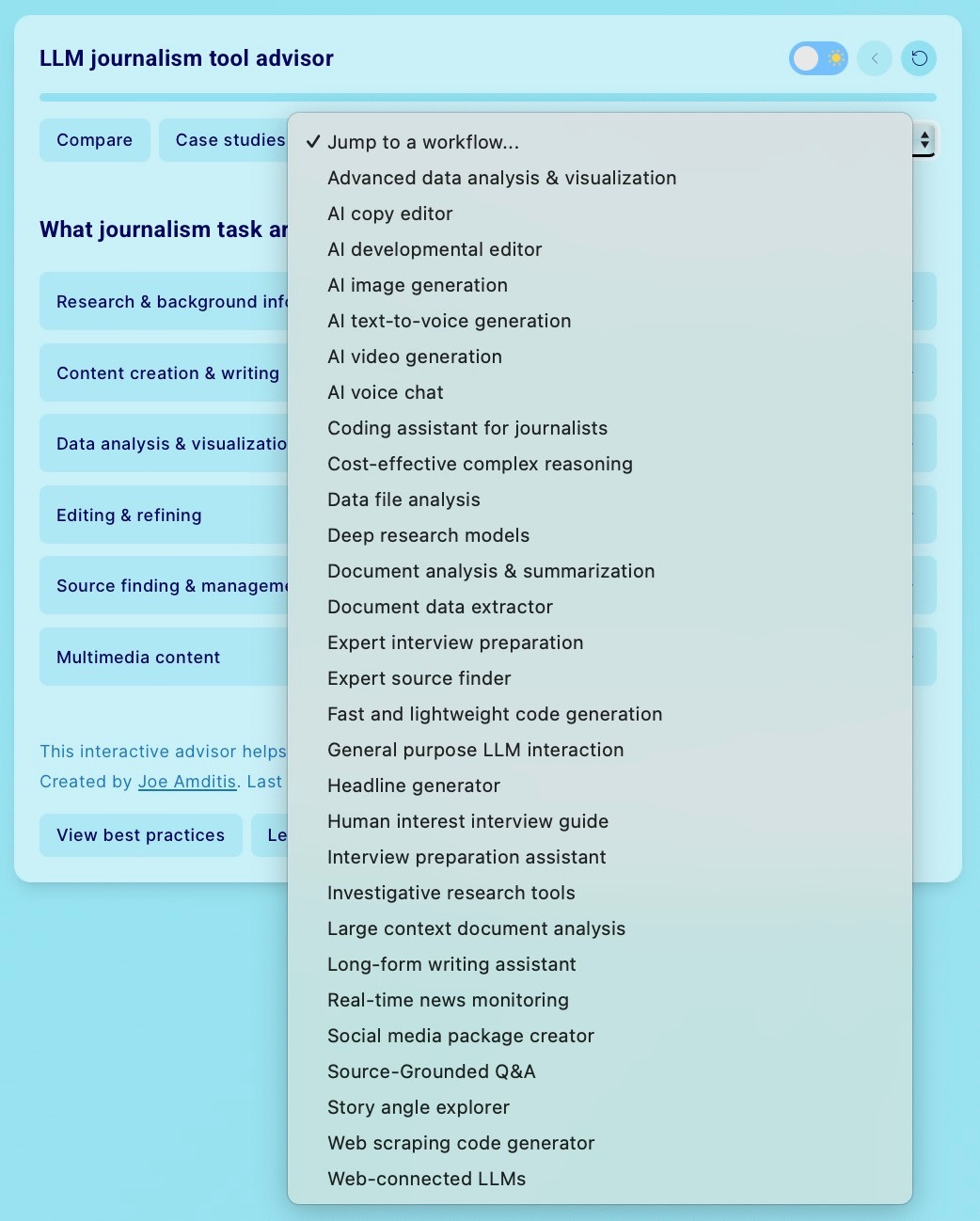
In a previous post, he discusses a Journalist’s Toolkit. The tool that caught my attention is the LLM Journalism Tool Advisor developed by Joe Amditis. Joe is the associate director of operations at the Center for Cooperative Media at Montclair State University. The LLM Journalism tool advisor is a guide that recommends the best large language model for specific journalistic tasks. It’s interactive and full of great prompting ideas. I’ve used it several times already for general writing and podcast production.
For more information visit:
You can experience LLM Journalism Advisor Tool yourself and it’s free. Click on the “Jump to a workflow …” drop-down and you’ll see a gold mine of useful information.
Mr. V - Use AI to Write - Substack

Use AI to Write is the no-BS guide to AI-augmented writing. While everyone else either fears AI or blindly copies and pastes generic content, this newsletter shows you how to use it as a force multiplier - writing faster without losing quality or your voice. The brutal reality is that having access to generative AI doesn’t make you good; knowing how to prompt and edit strategically does. I’ve exchanged several notes with Mr. V and he “gets it” when it comes to structuring prompts that produce results. He’s also good at responding to follow-up questions.
One of my recent favorite posts from Mr. V is How I turned NotebookLM into my second brain for prompt engineering and Learning - Notebook LM + Gemini = Complete Gamechanger. Brilliant thinking here. I plan to use this idea, often. I’m a big heavy user of NotebookLM.
Kamil’s AI Adopter’s Club
Kamil’s AI Adopters Club is a practical lab for turning AI into business results. He works as a fractional Chief AI Officer, then distills what actually works into step-by-step workflows, templates, and clear next actions you can apply the same day. I’m impressed with each of his posts. He offers real actionable advice, and clearly, his audience loves what he produces.
Take, for example, a recent post (5 Signs You’re Using AI as an Assistant When It Should Be Your Advisor). He starts with the following:
Your company spent six figures on AI tools. Your team uses them to write emails and summarize meetings. You’re getting 10% productivity gains when you could be transforming how decisions get made.
The problem? You’re treating AI like a coworker when you should be treating it like a co-thinker.
Kamil is focused on getting quantifiable results for his newsletter subscribers. I always find something of value in his posts. He understands the importance of discernment and judgment - choosing wisely between options when data doesn’t decide for you. Like - the human element :)
Kamil does a fantastic job of illustrating his ideas with clear, easy-to-follow graphics.
Visit - AI Adopters Club for more!
In summary
Today you saw a mix of approaches, from tool-guided prompting to human workflows tested in the wild. That range is the point. Good prompting is not a single trick; it is a habit of framing problems, testing minor changes, and borrowing patterns from people who publish what they have learned.
Next steps:
Pick one tool and one pattern. Try Claude’s Interactive Prompt Maker for your next task. Carefully review the result and how formatting supports the structure.
Run two short experiments. Take a single prompt and vary only one element at a time, for example, by adding constraints or examples. Compare outputs. Keep what improves clarity or accuracy.
Subscribe where it helps. If you want fast tool roundups, consider Wonder Tools. If you want to prompt a variety of writing patterns, consider using AI to Write. If you’re looking for applied strategy and case studies, consider the AI Adopters Club. Choose what fits your goals.
Share your learning. Post a comment with a before and after, the prompt you used, and one insight you gained. Learning in public speeds up everyone’s progress.
AI is a team sport. Your experience, combined with the perspectives of these writers, will help you build a practical practice that compounds. Please keep it simple. Start small. Iterate. Then teach someone else what worked, and bring that lesson back to the community.
Let me know how it goes, I’m learning too.
T
Excellent and practical. Thanks, Tom!